“Home” Is Not a Page Title. Here’s How to Write a Real One
The words in your browser tab are one place Google looks when it writes the headline for your page in search results. Here is what Google says a good one holds.
Open your website’s home page and look at the tab at the top of the browser. The words there are the page title. Browsers show it on tabs and bookmarks. Google uses it as one source for the clickable headline it puts on your search result, which Google calls the title link.
If the tab says “Home,” it needs a new one. Google names “Home” as a vague title to avoid and asks for a descriptive, concise title on every page. Its beginner’s guide says a good one could include “the name of your website or business, other bits of important information like the physical location of the business, and maybe some information about what the particular page has to offer for users.”
Why it matters. Google says the title link is “often the primary piece of information people use to decide which result to click.”
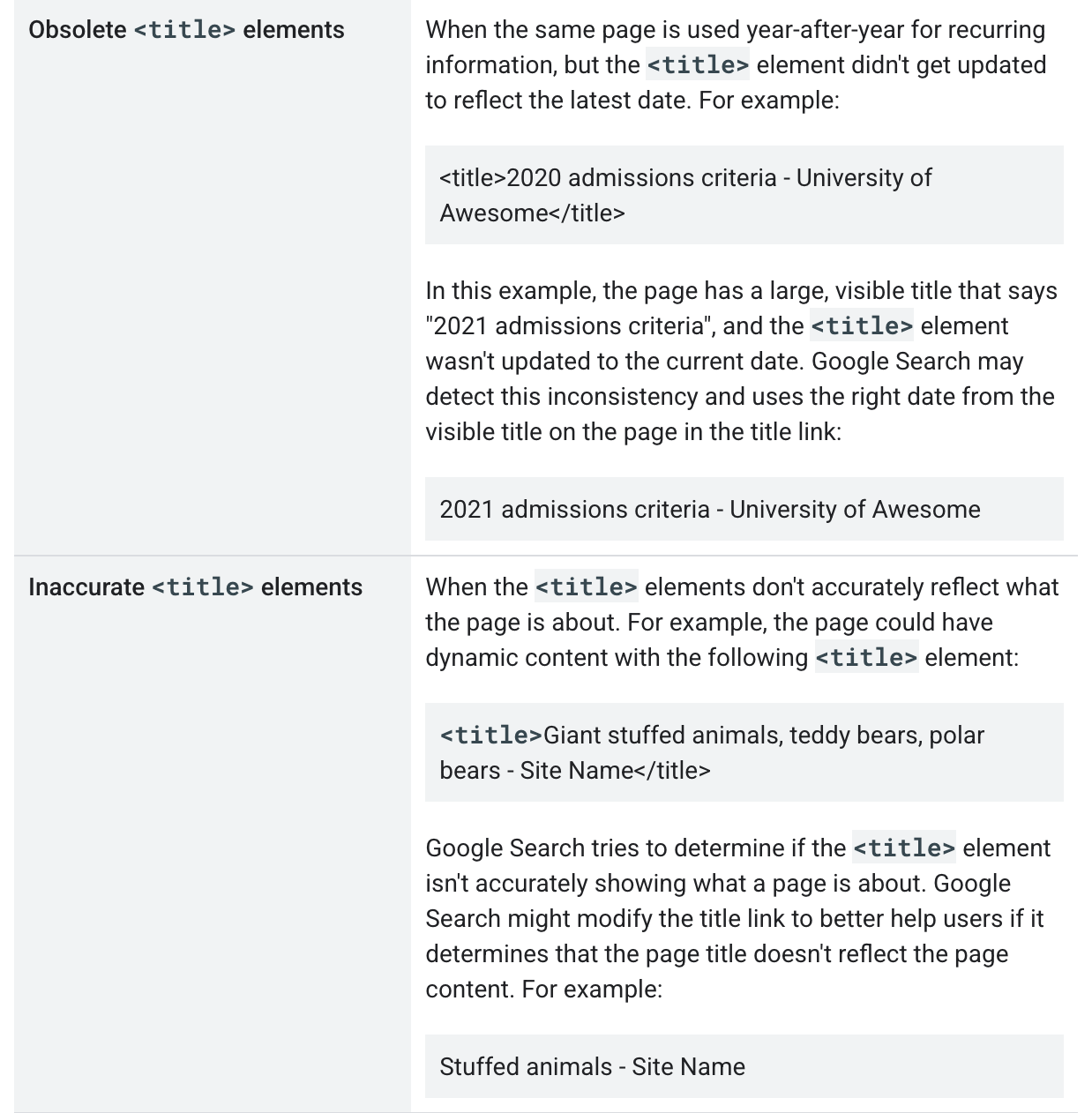
What you type is not guaranteed to be what shows. Google builds title links automatically and says it can’t change one by hand for any site. If it detects a problem on the page, it may write its own from other text there, such as your headings. Its help page warns against these, among others:
- A title that says nothing useful, like “Home,” or one with part of it missing.
- The same title on page after page, which Google says makes it “impossible for users to distinguish between two pages.”
- A title left on last year’s date, or one that no longer matches what the page is about.
- The same words repeated. Google calls this keyword stuffing, meaning piling search words into a page, and says it can make results look spammy to Google and to users.
The trap. Loading the title with every town you serve. Google’s spam rules cover the text anywhere on a page, not titles alone. One example of keyword stuffing they give is a block of text listing the cities and regions a page is trying to rank for. Sites that break those rules, Google says, may rank lower or not appear in results at all.
Our advice, not a Google rule: put what the page offers first, then the town if it fits that page, then the business name, set off with a hyphen, colon or pipe (the | symbol). Google allows the name at either end. Name East Hampton once, not a string of places around it. Give each page its own title, and make its biggest heading say the same thing, since headings are among the text Google uses when it writes its own. There is no character count to hit. Google sets no length limit and trims the headline as needed, typically to fit the screen.
Who does what. You write the titles and check the tabs afterward. Entering them means changing the site’s settings. Google says most site builders can turn the title you write into the page title on their own. So you may be able to do it yourself. If not, it is a job for your web person, whoever built or looks after the site.
Then give it time. Google has to visit the page again before it notices, which it says may take a few days to a few weeks. No. 19 covers Search Console, Google’s free tool for site owners, where you can ask for that visit. Asking doesn’t guarantee the page will show up in results quickly, or at all.
Check yours today. Click through the main pages of your site and read each tab. Two tabs that say the same thing mean at least one page needs a new title.
What to tell your web person: Here is the title I want on each main page. Please put them in, and make each page’s main heading match.
The Standard: Give every page a title that says what it offers, where, and whose it is. A stale, half-empty or off-target title gives Google reason to write its own.
Source: Google Search Central, “Influencing Title Links in Google Search,” “SEO Starter Guide: The Basics,” “Spam Policies for Google Web Search,” “How to Write Meta Descriptions” and “Ask Google to Recrawl Your Website,” read Sept. 25, 2026.