The website button on Google should open your own site
Google’s rule is about where a customer lands. Here is what it allows, and what to do if Facebook is all you have.
Search for a nearby business on Google and its listing can carry a link to a website. The owner chooses that address. Google’s guidelines decide what it may be.
The site you give should be one that “represents your individual business location.” Google also bars “URLs that redirect or ‘refer’ users to landing pages or phone numbers other than those of the actual business, including pages created on social media sites.” In plain terms, a customer who taps the link should end up at the business they picked, not somewhere else.
Buttons for booking or ordering, which some kinds of business can add, fall under a separate Google policy and are not covered here.
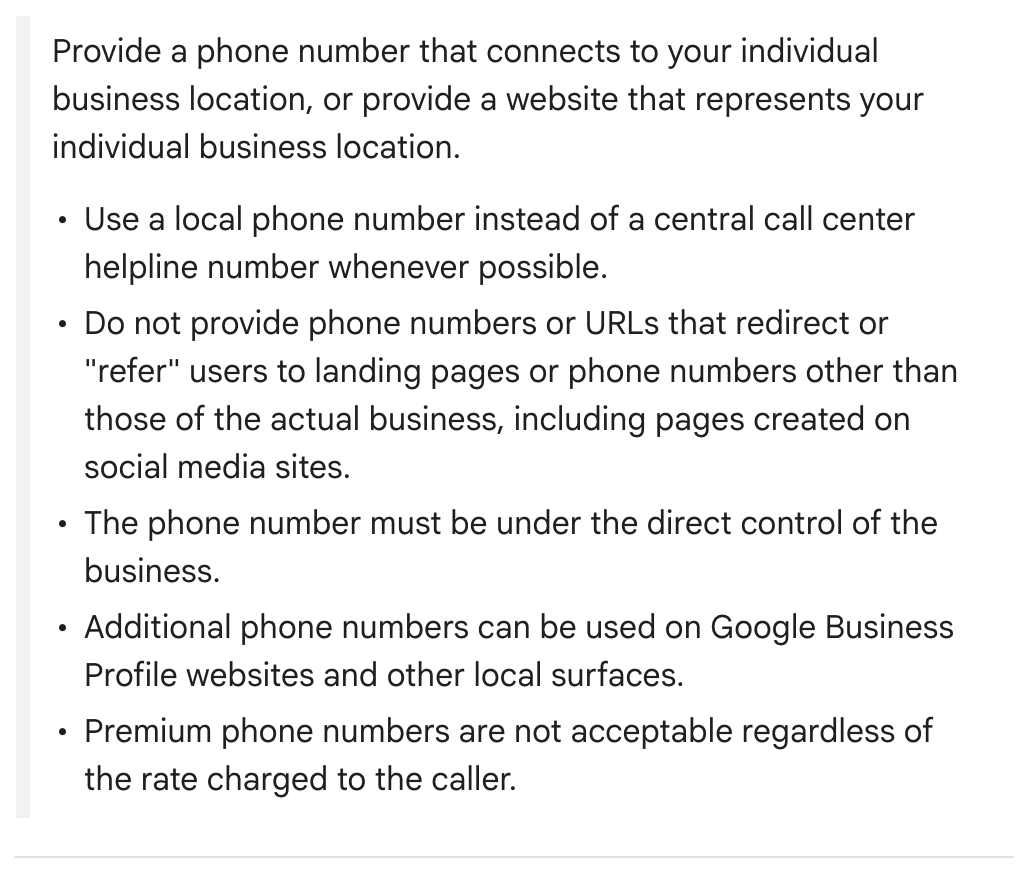
If Facebook is all you have. Google’s rule asks for a phone number that reaches your location, or a website that represents it. In select regions Google also offers a Social profiles entry, under Edit profile, then Contact, that takes one link per platform, Facebook included.
Our advice: with no website of your own, leave the website field empty and make sure your phone number is right, since the redirect rule names social media pages. If your listing has Social profiles, put the Facebook page there.
Why it matters. The website rule is part of Google’s guidelines for representing a business, and a profile that breaks those guidelines “becomes disabled or suspended.”
Where to change it. Sign in to the Google account linked to your profile, then search Google for your business name and city or “my business” (in the Google Maps app, tap Business). Select Edit profile, go to Website, type the full address, starting with http:// or https://, and select Save. Google reviews each change before it goes live. If you are not an owner or manager, start with No. 1 in this series.
Check yours today. Open your listing the way a customer would and tap the website link. You should land on your own business, for that location.
The Standard: The website link should take a customer straight to the business they found, at that location.
Source: Google Business Profile Help, “Guidelines for representing your business on Google,” “Edit your Business Profile,” “Manage your social media links,” “Business links policies & guidelines” and “Find your business on Google,” read Sept. 24, 2026.